View allAll Photos Tagged computerlabs
Students in the EIU TRiO computer lab at Ninth Street Hall on the campus of Eastern Illinois University in Charleston, Illinois on May 2, 2014. (Jay Grabiec)
We all had a great time in our first Arduino 101 class at Tam Makers, our new makerspace in Mill Valley. I taught this course with co-instructor Donald Day at the wood shop at Tamalpais High School in Mill Valley on June 16, 2016.
A diverse group of ten students joined the class, including artists, technologists and people interested in learning new skills, as well as high school and middle school students and their parents. My partner Geo Monley and our friend Howard Rheingold also helped mentor the students during the hands-on sessions.
We started the class at 6pm, with an introduction to the popular Arduino processor, which is used by millions of hobbyists and makers around the world. We then showed people how to make lights blink and play sounds with their Arduinos, alternating between short presentations and hands-on experimentation.
Students seemed to really enjoy this class and told us they learned a lot from it. We’re really happy that this first class went so well and look forward to our next two classes.
Learn more about this class:
www.tammakers.org/arduino-101/
Read our Arduino 101 Guide:
bit.ly/arduino-101-guide-june-2016
Check out our course slides:
bit.ly/arduino-101-slides-june-2016
Learn more about Tam Makers:
The four-story 50,000 sf Spieth Hall was converted into a classroom building which houses the Nursing and Psychology departments, general classrooms and additional rooms for growth. The building floor plan includes offices, conference rooms, lecture halls, computer labs, student lounges, classrooms, tiered classrooms, exam rooms, research labs, ward labs, observation rooms, simulation rooms, and medical storage. Expansion space was renovated as future offices and general classrooms. Each floor was given a theme color to help orient the occupants and create a different personality. New lighting, furniture and finishes gave the building a fresh modern look throughout.
Spieth Hall’s greatest challenge was taking a building full of small dark dorm rooms and converting it into a multi-functional academic building with large open classrooms in various sizes to fit each department’s program. Significant effort went into planning, demolition, programming, and design in order to best utilize the space and structure. Existing structural limitations of concrete columns, a concrete core, and concrete ceiling heights dictated much of what was possible since room depths between the core and the exterior walls could not change. Our team worked with the University and Department Stakeholders to design spaces that maximized the available configurations and fulfilled their goals of re-purposing their existing structure rather than having to build new ones.
Hoover Riverchase Career Connection Center (RC3) designed by Goodwyn Mills Cawood for Hoover City Schools, Alabama.
This 92,000-square foot school, formerly used as a middle school contains career academies focused on health science, fire and emergency services, cyber innovation (computer programming, software development, software analysis, network security and network administration), food and hospitality, and skilled trades (carpentry, electrical work, welding and HVAC). Academies in the school are focused on creating a real world working environment with simulation labs, virtual reality learning and labs that duplicate the environments in real commercial kitchens, hospitals, fire stations, paramedic ambulances, and pharmacies.
The students were learning how to type so they could write thank you letters to their sponsors. Most of them found the program and started typing on their own.
Students are able to use these computers for up to two hours. The computers are equipped with software ranging from Microsoft Office to Adobe Photoshop.
Our fall Arduino 101 class at Tam Makers is off to a great start. I taught this evening course with my associates Donald Day and Edward Janne on September 14, 2016, at the woodshop in Tam High School in Mill Valley.
We welcomed a wonderful group of seven students, including adults with diverse backgrounds, as well as a high school student. We started by giving our students an overview of the popular Arduino board. We then learned how to light up an LED, add a button to turn it on and off, and play a sound with a piezzo buzzer.
Students accomplished all these steps successfully, and seemed to really enjoy this class and told us they learned a lot from it. We’re really happy that this course is going so well and we look forward to teaching next week’s class.
View more photos of this Arduino course:
www.flickr.com/photos/fabola/albums/72157659914570948
Learn more about this Arduino 101 class:
www.tammakers.org/arduino-101/
Read our Arduino 101 Guide:
bit.ly/arduino-101-guide-fall-2016
Check out our course slides:
bit.ly/arduino-101-slides-fall-2016
Learn more about Tam Makers:
http://talks.cam.ac.uk/talk/index/5383
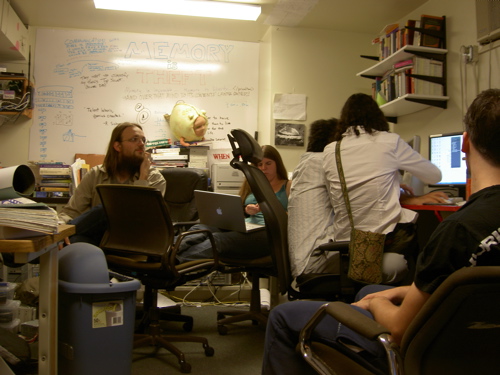
It felt like more people than it appears from this blurred photo!
Our fall Arduino 101 class at Tam Makers is off to a great start. I taught this evening course with my associates Donald Day and Edward Janne on September 14, 2016, at the woodshop in Tam High School in Mill Valley.
We welcomed a wonderful group of seven students, including adults with diverse backgrounds, as well as a high school student. We started by giving our students an overview of the popular Arduino board. We then learned how to light up an LED, add a button to turn it on and off, and play a sound with a piezzo buzzer.
Students accomplished all these steps successfully, and seemed to really enjoy this class and told us they learned a lot from it. We’re really happy that this course is going so well and we look forward to teaching next week’s class.
View more photos of this Arduino course:
www.flickr.com/photos/fabola/albums/72157659914570948
Learn more about this Arduino 101 class:
www.tammakers.org/arduino-101/
Read our Arduino 101 Guide:
bit.ly/arduino-101-guide-fall-2016
Check out our course slides:
bit.ly/arduino-101-slides-fall-2016
Learn more about Tam Makers: