View allAll Photos Tagged Lifehacker
An updated version of my workspace overlooking Manhattan. The next piece to replace in this new workspace are my speakers. Any beautifully designed speaker suggestions are welcome.
Featured on Lifehacker
Become a fan on Facebook, follow me on Twitter, or view my Website for more images.
A little information about my setup:
1 8 core mac pro desktop (3 ghz) with 8 gigs of ram.
3 30" Apple LCDs, mounted on humanscale mounts - each is individually adjustable.
1 12" Wacom Cintiq tablet
Now for the other periphery in the shot :
Hooked up to it are:
1 2 ghz Mac Mini w/ 2 gigs of ram
The TV is mounted using a Chief PDR Dual-Arm mount - it extends 200 lbs up to 3 feet away from the wall
then I also have my 2.6 ghz 15" macbook pro (the new unibody ones) w/ 4 gigs of ram.
The desk my desktop is mounted on is a biomorph multi desk - I like it because the whole thing ratchets up / down and can be configured to exactly the height / configuration that you want. The little side desk I picked up from a local unfinished furniture mart and will be stained to match when I get around to that.
My chair is a custom Theropod chair from Allseating that I had made for me. I love it, it leans back farther than any chair I've ever had, and gives me full lower back support considering the way I like to slouch when I sit, and my back hasn't hurt since.
Soon to come: built-in shelving taking up the dead space next to the sides of the monitors / desk / etc, on both sides. the cubby my desk is in has about the same amount of space on either side. I will take more pictures once I get the shelving built and more of the room configured.
Behind me I have another desk with a couple computers on it, but that desk isn't fully set up yet, nor does it have nearly the array of stuff on it that the main desk does - more pics to come as the whole office gets configured the way I want it.
This photo has been featured on both Lifehacker and Gizmodo
Also feel free to drop by my newly redone blog which has more details of the recent work done here.
Also feel free to see some other shots of the office as its currently set up
Featured on Lifehacker
Become a fan on Facebook, follow me on Twitter, or view my Website for more images.
The Arrival of Firefox 3 killed my favorite extension, Betterflickr.
But Gina has promised that she will update it to work with Firefox 3.
This is to say thank you Gina. You made Flickr-ing, much better and enjoyable.
Visit her Flickr Photos
Gina's Wikipedia contributions
Gina's Mozilla Add-ons contributions
Gina's Userscripts.org contributions
Finally one of my favorite blogs : LifeHacker
Her latest book, Upgrade Your Life: The Lifehacker Guide to Working Smarter, Faster, Better,
Shot from Nikon D300. Lens: AF-S VR Micro-Nikkor 105mm F2.8G IF-ED. Aperture f/3. ISO 250.
Processing: Adobe CS3, Less contrast and Curve Adjustments and image size reduction.
The vintage items you see here aren't part of a deliberate theme on my part. Everything simply came together over time.
1. 20-inch Dell 2009w LCD monitor. I bought this in 2008. It's great for text, but the color isn't up to snuff for production work. (Oh, and hiding behind that lovely illustration by Carolyn Arcabascio, is the working draft of The Murk, which I am currently editing.)
2. Western Electric model 500 telephone (sold from 1950 to 1984). This is my high-tech communications system. I picked it up at a yard sale ($5) several years ago because I was getting tired of buying new batteries for my cordless phone. It still dials out, but when confronted with an automated message system and asked to press "4" or whatever, I just have to hang up.
3. Panasonic Electric Pencil Sharpener, model KP-77 S (probably early 70s, with Auto-Stop!). My trusty friend, bought by my wife for $3 at a church bazaar. Amazingly, you can still buy replacement parts for this model.
4. Sony MDR-V700DJ headphones. My portable orchestra. I bought these in 2001, shortly after purchasing an iPod, because said iPod couldn't pump out enough juice to drive my old AKG 260s.
5. 15-inch Apple Macbook Pro (Winter 2006). Tucked behind the monitor, Graphic Mayhem rests in a little wooden bracket and runs in closed-lid mode when it's not doing color work.
6. Apple Pro Keyboard (2000). The computer this came with is gone now, but I kept the keyboard because Apple built it to outlast the sun.
7. Apple Mighty Mouse (2005). I have no clear memory of how I acquired this mouse, but it's still on the job.
8. Picture of an Egyptian chariot (gift from a friend), because chariots are cool.
9. Webster's New International Dictionary of the English Language, Second Edition (1938). Yes, it's old, but it still beats the hell out of any other dictionary I've ever used.
10. Two Rinn. These were a Christmas gift, hand-made by my wife and children. They are more precious to me than my weight in 1st edition hardbacks of The Princess Bride, by William Goldman (Fine in Fine dust jackets). And THAT, my friends, is saying something.
11. Placebo coffee (or sometimes placebo tea). It's hard to see in this photo, but it's right here on the corner of this middle shelf.
This is my interpretation of the ultimate MidCentury Modern Workspace. 50 plus year old designs that still looks timeless yet modern and contemporary. Dieter Rams would say "Less is More." Don Draper would say, "Make it simple, but make it significant." Yes, it is expensive but it will outlive and outlast any computers I have or will have for the next 40 years. This is a "luxury desk set-up."
George Nelson Swag Leg Desk design by Charles Pollock for Nelson Associates in 1958.
Eames Soft Pad Management Aluminum Group Chair designed in 1969 by the legendary design masters, Charles and Ray Eames. Both manufactured by Herman Miller. Artemide Tolomeo Lamp. Designed by Michele De Lucchi and Giancarlo Fassina for Artemide. 1987. The design classics. All featured and on displays at various Museums of Modern Art like NY MoMA. George Nelson Bench for storage. Everything pictured are authentic, licensed pieces.
BTW, people have been wondering. Yes, you can fit a 27" iMac on a George Nelson Swag Desk. As long as it is under 25 lbs.
I'm pretty much complete except I might swap out the Tolomeo Lamp for an AJ (Arne Jacobsen) Desk Lamp.
Update: Thanks. This was featured on lifehacker.com
This is the completed result of months of planning and hard labor. Most of the inspiration for this project came from LifeHacker's 'Featured Workspaces'. Thanks LifeHacker and all those who inspired me.
The highlight of the entire project is what you cannot see, and that is all the cables that run through the room and even upstairs to the living room media center. It involves a clever cable tunneling system that wraps around the room underneath the center shelve which divides the room into two upper and lower halves. The shelves are easily removable for easy convenient access to the tunnels. The tunnels begin (or end) underneath the desk at the rear of the PC, which is the brain of the entire home's media center system. Two TVs (one in the living room upstairs and another on the wall to the left just out of shot (see other pics)) are connected via long range HDMI and USB extender cables.
For someone who spends long hours working at the computer, appropriate lighting is crucial. The room is lit up from both ends, positioned behind me, so as not to allow the brightness distract me. I find the color blue to be extremely relaxing, so the blue mood lighting around the monitors helps during times when troubleshooting code gets too frustrating.
Today Manny helped me put together a new table. It doesn't really look all that different from my old setup, but I'm happy with it. I just need a mousepad or something to prevent the Magic Mouse rails from scratching the table. And for those wondering, I actually enjoy sitting on a yoga mat and maybe even prefer it to an upright desk and chair.
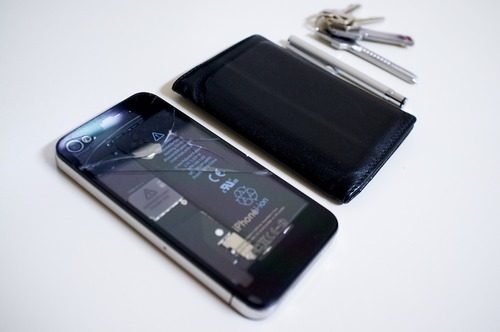
As for specs, there's a first gen unibody Mac Mini(2.4ghz C2D) that has an old 80gb Intel SSD, 750gb Scorpio Black in place of the optical drive(using a modified OWC caddy) and 8gb of ram. The Cinema Display is the pre-thunderbolt 24", iPad is a second gen, and iPhone is a 4 with a broken mic and cracked back. Audio comes from my trusty iPod Hi-Fi or some Grado SR-60s(not pictured). Comcast modem and an OWC Mercury Elite 2.5" enclosure with a 1tb Scorpio Blue are under the table. I think that's about it in terms of gadgets. Table top is an Ikea Galant, and the legs are from ebay. The top is from Nolan's WonderCon panel for Inception which is on the screen(Me and Manny agreed that we needed some Joseph Gordon-Levitt love in the photo lol).
Manny didn't really design this table as much as he assembled it so I wouldn't fuck it up. However, he has been recently doing a bit of freelance design work with laser cutting. So if you're in San Francisco and need someone who specializes in that, contact him on twitter.
UPDATE 08/23/12: I got a text message saying that this was featured on lifehacker. Thanks guys.
10′ of 3/4″ PVC tubing, 4 tee and 4 elbow 3/4″ fittings, a hacksaw, some elbow grease and 15 minutes later I got a cool DIY laptop stand, courtesy of Instructables, via Lifehacker.
Featured on Unplggd.
Horray!!! Its on Lifehacker.com !!!!This is my second attempt with geektool and its totally different from my first lol. Ever since the days of Jet Set Radio Future (Video Game) I have always had an eye for graffiti. Call me a nerd i know but hey it was a great game. If you have any questions just ask. If you look closely some of the graffiti is my clock, date, month, weekday, CPU, RAM, Uptime, Top Processes, Weather, battery, to do list, and calendar. I tried to make the ultimate blending in my background.
Wallpaper
interfacelift.com/wallpaper_beta/details/949/train_with_g...
Geektool
projects.tynsoe.org/en/geektool/
Coversutra
www.sophiestication.com/coversutra/
Fonts (If you want to find out what the exact font is for a particular object just leave a
comment and i'll point you in the right direction)
www.dafont.com/graffonti.font">www.dafont.com/gra...
www.dafont.com/searfont.font">www.dafont.com/sear...
www.dafont.com/degrassi.font">www.dafont.com/degr...
www.dafont.com/vandalism.font">www.dafont.com/van...
www.dafont.com/graffiti-treat.font">www.dafont.co...
www.dafont.com/turntablz-bb.font">www.dafont.com/...
www.dafont.com/search.php?psize=m&q=garage+shock
Fonts Used Where
Degrassi
Time 65pt
Date # 36pt
Uptime Text 18pt
Searfont
Month 48pt
Vandalism
Weekday 36pt
RAM Text 24pt
Garage Shock Condensed
Calander 17pt
Turntablz Bold
To Do List 14pt
Uptime 13pt
Top Processes 12pt
Graffiti Treat
RAM 24pt
CPU 24pt
AM & PM 36pt
Graffonti 3D Drop
CPU Text 24pt
Dock To The Right
This is a setting in Tinkertool, its a great free application for little tweaks
www.bresink.de/osx/TinkerTool.html
Geek Tool Commands
Top Processes
top -FR -l2 -o cpu | grep -v 0.0% | cut -c 7-24| sed -n '15, $p'
Time
date "+%l:%M"
AM & PM
date +%p
Date Number
date +%d
Month
date +%B
Weekday
date +%A
Calendar
cal
To Do List
Create a text file with TextEdit but make sure you click Format>Make Plain Text before save. Then select the file in path in GeekTool.
Uptime
uptime | awk '{print "" $3 " " $4 " " $5 }' | sed -e 's/.$//g';
RAM
top -l 1 | awk '/PhysMem/ {print "" $8 " "}' ;
CPU
top -l 2 | awk '/CPU usage/ && NR > 5 {print $12, $13}'
The Text Uptime, CPU, RAM
Another text file, remember have to Make Plain Text before saving
Yahoo Widgets
Weather Widget
widgets.yahoo.com/widgets/widescapeweather
Battery Widget
widgets.yahoo.com/widgets/wdscp-battery
Icons
iCal
www.blocksoft.net/iconical.html
Folders
jr050680.deviantart.com/art/Pry-System-95517859
Hard dives
Thvg.deviantart.com/art/Slick-Drives-95235862
Others
RimshotDesign.deviantart.com/art/Milkapp-26790473
kano89.deviantart.com/art/iPhoto-08-93032097
interfacelift.com/icons-mac/details.php?id=1980
If you have any questions about the many fonts that I used or the scripts for geektool just let me know and I'll be glad to help :) I really hope you like it!
If you roll over the picture it will put boxes around all of the geektool.
It would be best to see it if you click All Sizes at the top!
Minimalism ; It's a way to remove unnecessary clutter from life.
Workspace
A single iMac with Magic keyboard and mouse, and an aluminum, Apple-style pencil holder, all resting on an Ikea Galant desk.
Computer
A late 2012, 27 inch iMac, baseline model (i5, 8 GB ram, GTX 660m) , with a wallpaper from Inkdryer Creative.

Wallpaper inspired by this Lifehacker article.
Although the content is unrelated, it would be nice to check out my my blog and the rest of my photostream :)
Books versus eBooks: Which wins?
I know that everything is better on an Apple product. I’m sure eReaders will make inroads. They serve a useful purpose. But only to a point. Old books are like old friends. They love to be revisited. They stick around to give advice. They remind you of days gone by. Books, like friends, hang around.
Never let anyone tell you that organization can't be beautiful. In order to maximize your storage space, I recommend getting wall to wall bookcases or shelves. You will be able to find some that fit standard rooms, but anything higher than the norm will most probably require something custom-made. This featured workspace, makes an entire wall of shelving its centerpiece. Filled with colorful books and decorative items, it makes for both a practical and attractive home office. The random wall-based bookcase was designed by Dutch architect Huib van Wijk.
BSSR Library Workspace was seen in several lifestyle magazines and E-zines.
Below - without censorship - 'discussion threads and replies" from lifehacker.com/
# Discussion thread from person A
"That is hideous. I cannot imagine a person selecting any one of those items, much less the combination, for use in their home. New acts of Modernism pretty reliably trigger my gag reflex, though. It was ridiculous enough when it was current, over half a century ago. I mean, imagine humans in that space: can you?"
Reply from person B to person A
"It looks like a study room in a library. But with a shelf. A terrible, terrible shelf."
Reply from person C to person A
"I can imagine myself being very comfortable in that room actually. I can also imagine my grandfather who was an architect during the modern era being equally comfortable in there. BTW - be careful about decrying modernism, look at any photo or painting of an old Japanese interior and compare it which much of Frank Lloyd-Wright."
Reply from person A to person C
"While FLW was a Modern in terms of timing and in the sense that he was breaking from tradition, the underlying principles of his work were far removed from the sterile, faux-utilitarianism of the space above. While the designer borrowed some letters from FLW's alphabet in the lines of the shelving and the lighting, the language s/he's speaking is clearly more akin to the 'stacked boxes' school of Modern architecture, which couldn't be less in touch with FLW's focus on localization and landscape. I may well be out of my depth here, as my knowledge of architecture hasn't progressed much since middle school, except where it intersects with literature and film. The above space just strikes me as one of many examples of Modernism-for-modernity's-sake. It's an unconsciously ironic futurism that has repeated itself for the better part of the last century, built upon a minimalism grown baroque with self-reference and arbitrary flourishes-by-subtraction. It's a matter of personal taste, I know. I tend to state my case in strong terms, but it should go without saying that I'm only presenting my response to the above scene and the context in which it is presented."
Reply from person X to person A
"I think that there's "good" modernism and "housing project" modernism. This manages to straddle both somehow."
Reply from person C to person X
"I know what you ar getting at, but think that 'housing project' modernism might better be described as utilitarianism or even brutalism."
# Discussion thread from person B
"Below is a rant of why I don't like this and how it is both a failure of form and function, but you don't have to read it. Also, I wish I had as much money as it took to build this. First, why are there panels against the wall for the bookcase? That seems like a waste of space. Second, what's with all the useless trinkets in the ridiculously varying sizes of the bookcase? Third, it's not even symmetrical, and not in a good way. Fourth, why so many light sources? Fifth, I'm not too fond of the aesthetic of the table or floors."
Reply from person C to person B
"Panels against the wall being a waste of space - they probably take up two inches, and allow something for the shelves to attach to. Wow - people have to like the same types of trinkets as you huh. How do you know they are useless? Maybe they are memories from holidays/places/people gone by? Why the desperate need for symmetry."
Reply from person B to person C
"...allow something for the shelves to attach to. You mean like a wall? I can see how it makes sense to have them if the shelves are not permanent, though. I don't like trinkets. A physical manifestation of a memory isn't useless I'll admit, but these trinkets, which happen to match the decor, seem like they are there to fill in space (i.e. be pointless). Symmetry is the one aesthetic that nearly every human appreciates at least on a subconscious level. However, I understand that asymmetry has its advantages and aesthetic qualities but I don't believe this particular asymmetrical shelf is good-looking. I say that my thoughts on the aesthetic are just an opinion, but I also think it impacts the function of the space negatively, objectively speaking."
Reply from person Y to person B
"For my part, I also tend to have lots of light sources, just not typically all on at the same time. For me, it's about options... Read, Work, Evening, etc..."
Reply from person B to person Y
"That makes sense. I suppose all the lights were on for photographing purposes. At least, I hope that's why."
# Remaining discussion threads
"I had to do a double take on this picture because of the many negative reviews. My first thought was, 'This is great!' I guess I had tunnel vision because all I saw was the wall of shelves for books and art and maybe a few trinkets here or there. After looking at the rest of the picture, I can see why people may not like anything else in it, but everybody responds differently to work spaces and we have to find out what works for us. I'd love to have a wall of shelves. I've got a lot of books. But, for my office space... I'd choose different colors and furniture. I do like the lighting on the book shelves, though. It gives me ideas..."
"Organized chaos! = good"
"Beautiful.. but can u imagine having to clean that shelf…"
"I love it. My office had a modernistic look with a lot of books. Some people consider books warm and comforting, while others are put off by a wall of nothing but books. My shelves are mostly full of books, and while I look at my shelves, I am not attracted by the arrangement, but by what I know the books contain. They are all tech books. But, the arrangement in this article is a very interesting and attractive combination of books, shelves, objects, and light. This makes me want to rearrange my office, or at the very least tidy this up. Well done! I don't want to make anybody gag, but I happen to like modern, high tech design. However, the rest of my house is very traditional, so this room is a nice oasis for me."
More comments and critics are welcome!
Explore BSSR House
Geek
(Edited image posted on Tumblr and reblogged a lot: punabot.tumblr.com/post/4148048604/clips-paper-and-holds-...
(Sept 29: Blog post with more amazing uses for binder clips! petty.me.uk/?p=1003) (WARNING: some sarcasm may be involved)
(September 20 2010: More attention from Lifehacker, Twitter and Reddit. This is crazy!)
(August 16 2010: This is suddenly getting quite a lot of attention thanks to @lettersofnote on Twitter.)
I'm on twitter as @muteboy if you're interested in not ever seeing any more cool ideas like this one ever again.
UPDATE: HaloHUD will be out by Friday. Will support a 1680x1050 and other resolutions initially, with more to come later. Stay tuned...
--------------------------------------------------------------------------------------------------------
Q: How do I get this? Where do I get this? When do I get this?
A: End of June. Follow me on Twitter to get up to date information and to participate in development. As you can see, some features are still missing, the font isn't finalized, I haven't had the time to find a good screenshot, etc... If you do have the time and would like to help, read the update below.
Q: Why do this? This is completely impractical, Halo is teh suxxorz, etc...
A: I was inspired to do this when I was trying to figure out how to integrate my TweetScanner Rainmeter skin into my desktop. Starlight and HaloHUD are the results of this inquiry. Finally, after I discovered that the music progress and weather radar fit perfectly with the health bar and the enemy radar, I decided I had to do this. Thankfully, everything else just fell nicely into place.
As for practicality, I'll repeat what I said below: this is a personal challenge for myself and I am inclined to call this art more than a intuitive and productive desktop solution. Any appreciation of my work by anyone besides myself and my friends is just icing on the cake. Speaking of which, I must say thank you to everyone for the complements and praise. It means a lot.
Finally, I do enjoy some Halo 3 from time to time, yes I played Halo 1-3, and, yes, I actually read the books, but I didn't do this because I'm an obsessed Halo fanboy. No, I did this because I'm an obsessed Rainmeter fanboy.
Q: Do a TF2 version! Do a Metroid Prime version!
A: I'm a fan of both of those games, especially TF2, and I have thought about doing this for those titles and others, but I don't think I would find it as fulfilling. I've been working with Rainmeter for 4 months now, and I've had great results. At first, my focus was productivity, usability, and an overall better experience; Starlight Desktop is where I ended up. As is, it is perfect...for me, so I don't see the need for anymore major changes or to actively continue doing this type of work. If I am ever as inspired as I was for Halo HUD again, I will of course do more. After this, my only plans are to polish up what I've already done. Well, that and to use all this free time to instead go outside and enjoy my summer as much as possible!
Don't let that stop anyone else from doing other games, though, because I'd be glad to see more like this. Maybe I'll even help them out after I'm done. There's definitely potential for other games to get the desktop treatment. :)
--------------------------------------------------------------------------------------------------------
UPDATE: In order to make sure Halo HUD looks as good as possible when it's finished, I need some good screenshots! If you're interested in helping, I need shots that show 1-5 players of the same team on the screen and do not impede the visibility of the different HUD elements. The more the better!
I'm also interested in some actual game footage. Vista, and other windows versions, are capable of displaying animated backgrounds, either through .wmv or the proprietary .dream format. If anyone has the recording capabilities, I would prefer HD Halo 3 footage, specifically with a battle rifle in it. I do not have the necessary equipment - or the time - to do this on my own, so if you're interested in improving this desktop many times over, this is how.
Email links and images to halohud@gmail.com, and, of course, anyone that submits content that is distributed with HaloHUD will be properly credited. :)
Thanks everyone and keep your eye on my twitter account for more updates!
--------------------------------------------------------------------------------------------------------
UPDATE: If you want to stay current with Halo HUD's progress, just follow me on Twitter: Rykennedyan. I'll hash tag all Halo HUD updates with #HaloHUD. I plan on making a HaloHUD twitter account in the future, but that won't be until I actually release it.
--------------------------------------------------------------------------------------------------------
At long last, here is what I've been working on for the last few weeks:
Halo HUD
Everything you see here, apart from the in-game 3D art, is done entirely in Rainmeter using my own art and Rainmeter skins. It's very much a work in progress, but this screen shot showcases all the basic functionality that I wanted in Halo HUD.
Here's an overview of all the features:
Grenades - Each grenade launches a specific application. I currently have them set to, from left to right, Pidgin, Steam, Foobar, and Firefox. Yes, I've yet to do a Frag Grenade icon. ;)
Power Drainer - Opens a Shutdown menu. You can choose Shutdown, Restart, and Sleep
Health Bar - Displays current track progress, with artist and title above it.
Battle Rifle and Ammo Count - Displays current unread message count from Gmail and the Battlerifle opens Gmail.
Ammo Clip - Top clip is download traffic; bottom clip is upload traffic.
Radar - As of now, all this does is download and save an image for the local radar from Weather Underground. I'm currently editing a GIMP script which will automatically crop and edit the picture to display properly upon download. What you see here is the intended look. It also displays the current temperature.
Time and Game Type - Display current time and date.
Blue Score and Red Score - Display current CPU and RAM usage.
Player Callsigns - These behave just like my TweetScanner skin.
Battlerifle Ammo Display - Displays current battery status; it shows 0 in this picture because I'm using my desktop which is not on a battery.
Also, the visor outline is done in Rainmeter as well.
Like I said, this is still very much a work in progress. My goal is to finish by the end of this month, unless of course there's a huge demand for it. :) I'm currently in the midst of a second pass at art and code, while finishing the scripting for GIMP. I'm also trying to figure out a font to use that actually looks like the Halo 3 HUD's font; any ideas?
This has been a lot of work and there is still much left to do. In addition to this Rainmeter skin, I plan on making skins for RocketDock/ObjectDock (w/o icons) and Launchy.
I did this simply to see if I could. A personal challenge, so to speak. I can't argue that this is a productive or practical desktop solution, like Starlight Desktop. I would call this art, more than anything else, but I'm sure there are some people out there that would use this. This is for me, first and foremost, but also for anyone else who appreciates my work.
One more thing, you can set each skin to display on top at all times, for that ultimate Master Chief desktop experience. :D
Stay tuned and get your screen shots ready!
If you have a Bungie.net account, here's a link to the image I'm using:
More info about my photography can be found at my blog
This is a close up of my desk. See notes for more info!
Other Side of Office: www.flickr.com/photos/anthonygrimes/3415964295/
This side of Office: www.flickr.com/photos/anthonygrimes/3358328574/
Explore #72
Chronodex July - December 2013 Weekly Diary Free Download Released
Chronodex friends here you go! The July to December 2013 version is released, feel free to download and plan ahead your visual scheduling for the rest of the year.
Here are some of the places you can interact with other Chronodex users:
Chronodex
Chronodex Facebook Page
Chronodex Flickr Group
The Fountain Pen Network thread about Chronodex
Lifehacker's cover of Chronodex
Yes Chronodex is kind of weird, it looks a bit too complicated, it is not like any other traditional scheduling tools, but it is inspirational and free style. I made it so as to break the rules of scheduling, most diaries/schedule books have rigid grids and timeline which limit the available space for you to write notes related to your schedule, you can use any space on the paper to link your time specific entries thus free from the traditional constraints.
Look at our beautiful cross harbour tunnel, it is a 'grid', it is 'rigid' but it works in mass transportation because it provides a system and create order. It is dull too, especially in times of traffic jam and rainy days. What you have to dissect is that there is a difference between mass order and personal creativity. Chronodex is for your personal creativity in what seems to be a rigid time system, it is for you to exploit/explore the space nobody ever made constraints of.
I've also made Chronodex a free download to share in 2011 when my father was too old and too sick lying on bed struggling, questioning himself feeling useless. We had no way to help, prayers from all of you mysteriously helped somehow IMHO, but the thing is, I wanted to prove that everything is connected, he was not and never useless, if people appreciate Chronodex, it was because of him I existed and being educated by him into a person with inquisitive mind. He should be proud of himself, even though there was no way I could convey this to him during his deterioriation. Today on the Star Ferry lower deck, I saw a grandfather holding his grandson's T-shirt looking over the harbour an European tall ship cruising by, the light tug, the togetherness and a sense of exploration made me sob inside, recalling my own exploration with Dad and his brief time with my own kid.
Tonight, Mom told me her encounter with Dad on his 140th day of passing which happens to be my little brother's birthday. A cicada was standing weakly on the floor where Dad used to stay often, she picked it up with both hands and prayed the Great Compassion Mantra (大悲咒), bringing it to the window seam and left it there. Minutes later, it flew away energetically full of life. The scene reminds us of the Chao Shao-an (趙少昂)'s painting which my Dad loved so much and had been on our living room wall for the longest time, AND it is Lychee season now. Can you see all the connections and emotions?
The stuffs we hold dear of, always leave impressions for people close and around us, these things are proves of our existence painted over with emotions and mysterious connections.
So this coming week, like the last, I will be out of my home town heading Shanghai for a week of intensive preparation of a new store launch. Love the travel, hate the separation, enjoying everything in between.
Meanwhile, Traveler's Notebook fans in Hong Kong had a great time in the Star Ferry ride, after-party and small meet-ups. I hope to do it more often, feel free to drop by our Facebook group. Now, follow me for a 15 seconds tranquil journey across the lovely Victoria Harbour.
More on Scription blog: scription.typepad.com/blog/2013/06/chronodex-july-decembe...
If you are unsure of how to correctly credit this image on your website or blog, please send me flickrmail or e-mail spencerphotography@Gmail.Com
If you use this image on your website or blog, let me know in the comments! Thanks!
used on:
TechCrunch
Wired UK
FoxNews.com
Consumerist.com
BusinessInsider.com
LifeHacker
This is my first serious entry for LDST. Full Size Image here

The image is a composite of 3 screenshots of my "multi-desktop" desktop (win XP). From the top: desktop 1, desktop 2, and desktop 1 and 2 in 3D mode. There are actually 4 desktops, but I mostly use just 1 and 2.
There are quite of few really cool and *free* programs in these screenshots which I have included atop the image itself as notes. So, if you like something on my desktop, you know where to find it. :)
wallpapers are from dffrnt.
*Software and Wallpaper downloads for Desktop Customization:
01. click here for the wallpaper on desktop 1

02. click here for the wallpaper on desktop 2
03. click here to download Styler XP
04. click here to download Mac OS X visual style by NeoDesktop (via deviantArt)
05. click here to download Mac OS X Styler Toolbar by Myssynen (via deviantArt)
06. click here to download QTTabBar ( requires .NET2.0 )
07. click here to download FindeXer
08. click here to download Sizer
09. click here to download the RocketDock skin MaxBlack
10. click here to download RocketDock
11. click here to download Enso Launcher
Thanks Lifehacker. My account there has "comments" disabled so I have to post it here. Hope the desktop showcase is a help to people than just a visual treat. :)
Dozens of flights land and depart between 11pm and 4am at this shiny new Dubai airport terminal.
Web sites using this photo:
hrluxuryresorts.com/goodbye-to-airline-paper-tickets-for-...
kr.blog.yahoo.com/kkunni8557/242.html
www.murketing.com/journal/?p=1348
www.amazon.com/gp/product/1400063914?&camp=212361&...
kr.blog.yahoo.com/kkunni8557/folder/8.html?m=lc&p=2&a...
www.worldhum.com/travel-blog/item/welcome-jetamerica-and-...
www.roadjunky.com/guide/814/airport-travel-tips
www.reisejournal24.de/articles-Turbulenzen_bei_Airlines_A...
www.destinde.com/Welcome-JetAmerica-and-flydubai
www.worldhum.com/travel-blog/item/terminal-man-hits-the-5...
www.airlinepost.com/airline-news/passenger-numbers-droppi...
socialentrepreneurship.change.org/blog/view/googles_gift_...
lifehacker.com/5412617/buy-a-one+day-lounge-pass-for-bett...
alexbeaucamp.com/classes/f09/140/flyporthumber.ca/index.html
perfectescapes.com/TheSuiteLife/?p=2286&preview=true
blog.travelfusion.com/2009/12/24/new-year-new-destinations/
weakonomics.com/2009/12/29/why-do-airlines-overbook-flights/
www.tonic.com/article/sing-a-long-at-newark-airport/?utm_...
www.travpresso.com/399/important-air-travel-tips.html
www.gadling.com/2010/01/28/airline-demand-suffered-worst-...
www.rogercallahan.com/news/tapping-cure-for-compulsive-sh...
www.moneycrashers.com/how-to-save-money-when-traveling-in...
earth911.com/news/2010/01/14/how-habitual-travelers-can-o...
www.theatlantic.com/science/archive/2010/01/airports-and-...
www.tonic.com/article/sing-a-long-at-newark-airport/
lifehacker.com/5561002/top-10-strategies-for-surviving-ai...
mundohoteles.portalmundos.com/viajando-a-europa-con-bajo-...
www.wired.com/threatlevel/2010/06/no-fly/?utm_source=feed...
www.gadling.com/2010/09/17/why-don-t-airlines-call-us-cus...
www.gadling.com/2010/10/12/airline-passengers-want-more-s...
news.travel.aol.com/2010/11/05/how-to-find-last-minute-tr...
www.home-living-news.co.uk/uncategorized/7564/breeze-thro...
www.fitsugar.com/How-Stay-Healthy-When-Traveling-Over-Hol...
www.geeksugar.com/Android-Apps-Air-Travel-12659459
www.gadling.com/2010/11/30/zagat-survey-five-ways-custome...
vacanzeconomiche.com/2011/02/08/i-migliori-outlet-del-nor...
avengirmedia.com/character-bitography-087/
www.curvehouse.com/surviving-an-airport/
gigaom.com/cloud/big-data-is-a-big-deal-and-getting-bigge...
www.world-wide-gifts.ru/index.php?page=shop.product_detai...
collinesblog.wordpress.com/2012/12/03/christmas-is-coming/
www.lonelyplanet.com/themes/festive-travel/the-ultimate-t...
www.lonelyplanet.com/themes/festive-travel/the-ultimate-t...
www.viajes.net/blog/2010/10/17/%C2%BFa-quien-reclamo-si-m...
deskback.blogspot.com/2009/11/buy-one-day-lounge-pass-for...
cheapbizclass.com/site/destinations/
www.lonelyplanet.com/world/travel-tips-and-articles/77571
architecturerevived.blogspot.de/2011/09/dubai-internation...
www.creditsesame.com/blog/stop-overspending-10-things-you...
lifehacker.com/5412617/buy-a-one-day-lounge-pass-for-bett...
www.architecturerevived.com/dubai-international-airport-d...
www.expatarrivals.com/united-arab-emirates/culture-shock-...
www.dailyedge.ie/everyday-irish-heroes-2564958-Jan2016/
www.creditsesame.com/blog/stop-overspending-10-things-you...
libguides.scc.spokane.edu/modmideast
www.expatarrivals.com/united-arab-emirates/culture-shock-...
www.wunderground.com/cgi-bin/findweather/getForecast?quer...
www.architecturerevived.com/dubai-international-airport-d...
gadling.com/2010/09/17/why-don-t-airlines-call-us-customers/
www.postmania.org/fotos-da-cidade-de-dubai-uma-das-mais-l...
www.expatarrivals.com/united-arab-emirates/culture-shock-...
mobilitylab.org/2018/04/16/we-blame-pedestrians-for-dying...
www.thefirstgroup.com/en/news/2017/5/dubai-international-...
travelproluggageblog.com/2010/11/travel-2/business-travel...
theecologist.org/2015/apr/03/simple-life-manifesto-could-...
www.vice.com/en_us/contributor/ben-dickson
live.delcotimes.com/Event/2016_Oscars_Feb_28_2016?Page=12885
www.wran.org/2015/apr/03/simple-life-manifesto-could-save...
strana.ua/news/183539-aeroport-dubaja-snova-priznali-lide...
www.kenwoodtravel.co.uk/blog/why-caribbean-holidays-top-t...
www.newdelhitimes.com/igi-airport-enters-worlds-top-20-bu...
gadling.com/2010/11/30/zagat-survey-five-ways-customers-s...
www.lonelyplanet.com/articles/the-ultimate-tips-for-peak-...
airline.skr.jp/data/graph_world_passengers1/
www.eniega.ga/ProductDetail.aspx?iid=103349249&pr=83.88
travel.yahoo.com/advice/safety/articles/7-things-crowded-...
www.orbitz.com/blog/2011/10/gate-crashers-the-top-5-free-...
If you'd like to recreate this desktop, check out my Video Tutorial on YouTube!
This desktop is similar in style as the last desktop I uploaded - minimal nature photo, plain-esque icons, black bar. The effects in the background (and Current Track) are made using Geektool.
View the Medium on black
View Fullsize

...or view on Lifehacker
Wallpaper by PauloGabrielo
------
Check out my work at CarbonMade(dot)com.
[Full writeup here.]
[Another clip here]
[Hi to everyone from hackaday, crunchgear, makezine, lifehacker, and wired! And Photojojo too :)]
Test of plungercam 2. Clips of the San Francisco marathon going near by where I live and of the sun setting on Potrero Hill.
Flickr Explore: 27/07/09 #19 (!)
More info about my photography can be found at my blog
See the updated version here
Thought I would add a picture of my office to the Life Hacker pool. Its not too minimalistic but it works well for me, hope you enjoy. If you have any questions feel free to ask!
I got the desk from Costco about 2 years ago. It was originally a U-desk so it has been modified quite a bit to make it work better in the room. Pretty much everything else in the room is from Ikea.
A lot easier to see.
Other Side of Office:www.flickr.com/photos/anthonygrimes/3415964295/
Close up of Desk: www.flickr.com/photos/anthonygrimes/3416766762/
Explore #43
It is tidy and neat, pure and clean. I believe, this workspace is the most interesting and significant in our home office. It is where we not only cook, but share, sigh, laugh and also a place that allows us to demonstrate our creativity, culinary and otherwise. A kitchen usually a woman’s domain since the beginning of time has been slowly disappearing and an increasing number of men have taken up the apron and getting in their culinary fix, BSSR-House, the Netherlands.
Sorry for posting another so quickly, but I'm too excited! I finally took the time to sit down and replicate the whole Rainmeter look in OSX with GeekTool. If anyone wants the directions, just contact me!
Same palm in color, taken with the 60mm f/2.8D Micro, for bokeh comparison purposes. Big difference?
FYI, for those of your who upgraded to Firefox 3 and were bummed that the Better Flickr extension no longer worked, Gina Trapani of Lifehacker has updated it and released the newest version, available for download here. (If you want to install it but downloaded individual Greasemonkey scripts that did all the things Better Flickr does in the meantime, you'll have to go to "Manage Scripts" within Greasemonkey and delete them, or everything will show up as double.)
I'm currently working as a Part Time Driver and Office Executive, theres a need for me to travel in very short notice to Malaysia or Drive people around Singapore.
First Row
Left to Right
1) Samsung Galaxy Note 8.0 with Mercury Case
2) DIY Cable Organizer made from Felt
3) iPod 30 Pin USB Connector
4) 3.5mm - 3.5mm Interconnects
5) iPhone Lightning Cable (Spare)
6) Samsung Galaxy Note 8.0 Handsfree Earpiece
7) MicroUSB Connector
8) Herschel Raincover for Little America
9) Japanese Foldable Flat Umbrella
Second Row
Left to Right
1) End 2012 15.4" Retina Display MacBook Pro
2) Twelve South Plug Bug World and 95w Apple MacSafe
3) Audio-Technica IM70
4) Samsung 2A USB Car Charger
5) Amazon Basics Lightning Cable
6) Aviator Sunglasses
7) Casio Ediface Chronograph Watch EF-558D-2AV EF558D
8) Anker 10,000 mAh Powerbanks
9) Foldable Shopping Bag
10) Ziplock Bag and DIY Pouch for Toiletries made by Girlfriend
11) Thinktank Pixel Rocket
Third Row
Left to Right
1) Driver's Licenses
2) Cash
3) Twelve South Book Book for iPhone 5s
4) iPhone 5s
5) DIY Travel Wallet made by Girlfriend
6) Singapore Passport
7) Name Cards
8) Travel Pen
9) Bank Security Tokens
10) Membership Cards
11) Parking Coupons
12) Eye Mask
13) Comb
14) Stationary Pens and Markers
15) Lens Pen
16) First Aid Dressing
17) Perfumes
18) Hand Sanitiser
Fourth Row
Left to Right
1) Driving Related Cards
2) Bank Related Cards
3) Food and Beverages Related Cards
4) Cash
5) Montblanc Meisterstuck Wallet
6) First Aid Drug Kit
7) PostIt Notes
8) Hair Wax
9) Skin Creams
10) Eye Drops
11) Gatsby Facial Paper
12) Wet Wipes
13) Moisturiser
Herschel Little America Backpack with DIY Mod, Inner Pocket for Accessibility
Got Featured on Lifehacker!
lifehacker.com/the-short-notice-travel-bag-1563026698/all
Thanks for your Support!!
Like many in the computer industry, I graduated from college thin and fit, but since then, through years of all-nighters, sitting in front of my screen for long hours, and a rich diet I became overweight. I went from 190 to 242 pounds as I grew into each role: graphic designer, user interface designer, customer experience researcher, businessperson, husband, father, and community member. Last Fall I said, "Enough already!"
Recently I decided that working standing up would help me live a more active life. It's worked. Along with meditating, running, hiking, and kayaking, working standing up (with hourly interludes of pushups, situps or yoga) I've dropped 30 pounds. My thinking is clearer for longer and you're more likely to find me with things in perspective.
I'm fortunate enough to work at home above Chuckanut Bay in Bellingham, Washington.
This stand up desk is a piece of cedar with its live edge intact. On it I have room for a Dell 24" monitor as well as my MacBook Pro, and my good old Monsoon sound system. The hard drive holds the documentary I am working on called "Stumblebum".
My family watches DVDs here as well. We haven't adopted the big screen tv model yet as we all have such different tastes we're more likely to pair off and just watch on one person's laptop or another.
Five laptops add up to one big screen tv, don't they?
Update! 3/20/09
Alright, here's the link for the skin: Gothic Century - Release. Read through it a bit and you'll see the link.
Update! 3/14/09
Many thanks to Lifehacker for the third feature =]
The wallpaper is from sticboy of customize.org, named Organic. He gave me a message regarding his work and I'm very please to receive it :] Grab the wallpaper pack here. Many thanks, sticboy!
I'm still very surprise how wallpapers can change the layout of a desktop set-up. Like I said on my past post, I will be working on an improve taskbar, and I guess this is what I came up. Though I'm not as satisfied for some reason. If you could give me a hint to what's lacking, I'll credit you.
So what you see here is me over-using the text Century Gothic. It's just really nice to the eye no matter what color it is,
The icon on the bottom launch is the toggle button - that actually launches Samurize and also closes it. It goes along with the "Dawn[To Do} etc.. I can change the RSS by clicking the name of what I want to use a well. Then the application launcher and finally the system stats.
This set up is a combination of alfurds and HUD.Vision (well the vertical calendar).
Well, I guess that's all I have to say for this posts. Hope you all like it.
Running:
-PowerMenu
-StartKiller
-Rainmeter
-Launchy (I know it is pointless to show it here but it matches with the overall theme haha).
-ObjectDock Plus with Century Gothic icons that I made. As for the white "Trash", the text is white when the recycle bin is full. Oh and I'm also running Stack Docklet.
Questions, comments and suggestions are always welcome.
Two years ago I published a graphic showing the favicons of places that I'd recently visited on the internet. I thought I'd take some time (a few hours actually) this afternoon to revisit and refresh that graphic. In order to see this graphic best I'd recommend clicking through the image to Flickr and then clicking on the magnifying glass above the graphic on Flickr to view full size. Best viewed large I suppose as they say.
If you'd like to add a note with a hyperlink to a url for any site feel free. :)
The image above represents only some of the websites that I've visited in the past 2 weeks. The list does not include everywhere I've been on the internet. I've only chosen to share sites in this graphic that have favicons that pop up when you visit them. Probably about half of the sites that I visit (my own included) don't have favicons. The above graphic contains 330 different internet sites that I've visited.
Some stats on my internet activity over the course of the past 2 weeks. From May 15 until today I have visited 12,601 pages on the internet on my primary laptop computer (MacBook Pro). I have visited more pages than this because this is not my only computer. In addition to my primary MacBook Pro, I have three other PCs that I use regularly to surf the internet. I estimate that I probably load a little over 1,000 internet pages a day.
The number one site that I've visited over the past 2 weeks has been FriendFeed. The number 2 site I've visited over the past 2 weeks has been flickr. These two sites represent over half of my internet activity over the past 2 weeks.
Below is a list of sites that are included in this graphic.
1001 Noisy Cameras
30 Boxes
Adrian's
im.alexcarpenter
Yahoo Answers
Anyone's Guess
iTunes Store
I'm Not Actually a Geek
Big Thoughts from a Small Mind
Eskelin Technology
Compete
Epic Edits Weblog
Flickr Blog
FriendFeed Blog
FriendFeed
Go2Web2.0
High Touch
Magnum Photos Blog
MySpace
Seattle Pi.com
Twitter Blog
Wired
blogoscoped.com
blogs.eastwick.com
photopreneur
blogs.wsj.com / Law Blog
blogs.zdnet.com
Google Blog Search
Bloomberg.com
Blue Side of Life - Dave's Weblog
BoingBoing
Google Book Search
Brightkite
Broadcaster House
Brugo, Your Daily Dose of Bit Rates
Camerapedia.org
CertifiedBanger.blogspot.com
Paying Attention
Colin Walker
Commentful
# Comments
Dotted Line
iCraig
Creative Commons
Davis Freeberg's Digital Connection
del.icio.us
Dembot.com
Mozilla Developer Center
Digg
Dossy's Blog
Ethan Klapper
elbo.ws
Mozilla.com
Firefox 3
Wikipedia
SmartSetr
Failblog.org
fatherroderick.sqpn.com
sarahintampa
flickr
forums.ilounge.com
frederickvan.com
Fred Wilson
Edythe
gas2.org
gawker.com
greenstijl.nl
getsatisfaction.com
gigaom.com
gizmodo.com
Good Experience
Gothamist
Google Groups, FriendFeed
highscalability.com
honest ape
Hype Machine
ifitsgood.wordpress.com
Google Image Search
Instrumental Analysis
internetducttape.com
itafroma
itsmejulia.com
Jonathan Penny
jp.Zooomr.com
J W Horne
All Things Digital
kwerfeldein.de
Confess 2.0
Laserlike
Laughing Squid
Letters Have No Arms
Lifehacker.com
Google Maps
Yahoo Maps
Mashable.com
memes.org
michaelmistretta.com
midPhase
most-expensive.net
mrontemp.blogspot.com
Project Muse
musicisart.ws
mysmithmicro.com
newatlantic.wordpress.com
New Media Fanboy
BBC News
news.cnet.com
news.yahoo.com
next-thing.net
nextup.wordpress.com
notes.torrez.org
officeofstrategicinfluence.com
onlytheblogknowsbrooklyn.typepad.com
Powerset
Pandora
parents.berkeley.edu
paulbuchheit.blogspot.com
photooftheday.hughcrawford.com
phreadz.com
Pop17
Popdose.com
Pownce
robinjeanandersen.com
ryansholin.com
pilcrow Lit Fest
Picasa Web Albums
Photobucket.com
saladdaysmusic.net
sanfrancisco.giants.mlb.com
sarahmeyers.wordpress.com
scobleizer.com
seanreiser.com
searchengineland.com
Craigs List
SheGeeks
Shirky.com
songsillinoismp3.blogspot.com
suwaowalog.tumblr.com
slashdot.org
techmeme.com
technorati.com
Technosailor
terraminds.com
thedigitallifestyle.com
the Next web
The Pop Cop
tinyurl.com
nytimes.com
trac.zooomr.com
TranceMist
travel.yahoo.com
twittermap.com
upcoming.yahoo.com
userscripts.org
VentureBeat
viaspire
archive.org
weburbanist.com
whois.domaintools.com
wickedstageact2.typepad.com
Dare Obasanjo
360voice.com
AccuWeather.com
Adobe.com
Adorama
Alexa
amazon.co.uk
Amazon.com
AppleInsider
AV Club
Blogger
BlogThis!
Box.net
Brave.com
bspcn.com
bugblogger.com
Businessweek.com
cafepress.com
cameraposition.com
canyouseethesunset.com
captainsdead.com
Cartoon Network
CD Universe
centernetworks.com
chilirec
Children's Choice
Chris Brogan
chron.com
Church of the Customer.com
CinemaNow
Compete
cyberjournalist.net
dailymail.co.uk
divinecaroline.com
dogster.com
Duncan Riley
Ed Bott
encyclopediadramatica.com
Engadget
Environmental News Online
eternalstorms.at
Fast Company
filmsite.org
fineartphotoblog.com
fogofeternity.com
Forbes.com
fotohacker.com
FoxNews.com
FT.com
Goodreads
Greasespot
guardian.co.uk
Hacking Netflix
HaloScan.com
Hockleyphoto.com
Huffingtonpost.com
Ignite Social Media
IMDB.com
imeem.com
InformationWeek
Inquisitr.com
internetactu.net
istartedsomething.com
iStockphoto.com
jasontavares.name
jaunted.com
jimmyr.com
justsearching.co.uk
kenrockwell.com
KFC.com
khou.com
Kodak.com
kottke.org
last.fm
lastpodcast.net
latimes.com
Jeremy Toeman's LIVEdigitally
loiclemeur.com
LoJack for Laptops
Louisgray.com
luceromusic.com
lyricsdownload.com
Lyricsfreak.com
lyricsmania.com
lyricsmode.com
lyricsondemand.com
lyricsrocks.com
marketingcharts.com
marketingpilgrim.com
Mark Evans
mathewingram.com/work
mattcutts.com
mediafire.com
mentalfloss.com
metrolyrics.com
micropersuasion.com
microsoft.com
msnbc.com
Netflix
Network Car
Nicole Hanusek
Outside the Beltway
paidcontent.org
parislemon.com
Paul Graham
Plaxo
Podtech.net
Problogger.net
prospect-magazine.co.uk
psfk.com
quantcast.com
Read Write Web
Rob Galbraith
rushisaband.com
sacbee.com
salon.com
sanfranmag.com
sarahintampa.com
SarahLacy.com
Scott Kelby
scribkin.com
sfgate.com
ShermansTravel
sheysmith.com
slashfilm.com
smashingmagazine.com
snopes.com
socialtimes.com
Soundflavor
StumbleUpon
sweetlyrics.com
TechCrunch
the-digital-picture.com
thescreamonline.com
tivo.com
truthout.org
tzplanet.com
Variety.com
veoh.com
Vimeo
Washington Post
Web Strategy
Web Monkey
Webware.com
whoshouldifollow.com
winextra.com
wnyc.org
WPzoom.com
Yahoo!
Robert Seidman
YouTube
Zatz Not Funny
Zeigen.com
Zooomr
zShare
Alexa Sparky
antipolygraph.org
American Express
merkley
B&H Photo
A Photo Editor
Flickrleech
blog.pmarca.com
Y recuerdo que también se llenaban de SPAM, los de Reader Digest eran los primeritos en atascarlo!
------------------------------------------------
Referrer(s) / Used on
www.emerce.nl/nieuws.jsp?id=2275972
www.emerce.nl/nieuws.jsp?id=2397242
www.emerce.nl/nieuws.jsp?id=2516890
zymbolica.wordpress.com/creditos/
www.guardian.co.uk/media/pda/2009/mar/06/email-twitter
jasonseifer.com/2009/04/24/receving-email-with-rails
www.robteix.com/br/2009/07/05/sobrevivendo-ao-grande-expu...
www.criarsites.com/sistemas-de-newsletter-para-o-seu-site/
sempreceito.blogspot.com/2009/06/como-criar-um-e-mail-2-h...
www.the3dtechnologies.com/2009/05/19/how-to-start-your-ow...
lifehacker.com/5364596/reduce-your-inboxes-to-streamline-...
www.downloadblog.it/post/10851/i-social-network-hanno-aum...
www.logineo.fr/web/pourquoi-et-comment-creer-une-adresse-...
robteix.com/2009/07/05/surviving-the-great-purge-of-2009/
www.johncoverdale.com/how-secure-is-your-email-password
www.blogdeviajes.com.ar/articulos/acuse-de-recibo-11
listsgalore.blogspot.com/2010/03/you-got-mail.html
thenewprofessional.wordpress.com/2010/04/08/omg-u-r-the-b...
contafisca.es/2009/12/notificaciones-telematicas-por-part...
www.uncafelitoalasonce.com/gestiona-tu-correo-electronico...
www.hostingaffiliazioni.com/2010/06/promozione-mediante-f...
www.infinius.hr/blog/e-mail-osnove-1/
jkvirtualoffice.com/2009/09/understand-your-email-campaign-statistics/
www.lockergnome.com/web/2011/02/16/filtering-spam-mail-wi...
I am NOT the photographer of this photo. The photographer is Richard Lawrence Cohen.
This photo may be used in accordance with the terms of the Creative Commons license, which you can view at this link.
1,500th photo in my photostream
blogged by Althouse and Lifehacker
A rainy day here at the University of Florida and I got a new idea lol. This is a picture of Times Square, that I photoshopped in order to better suit my needs. Look real close and you will find things such as A To Do List, CPU, RAM, UPTIME, Hard drive space and more all created with geektool. Look closely in order to see everything :) I have added notes in order to make it easier. It's real easy for me to spot everything, because once you know where it is, its just a habit for your eyes to go there. The theme is created with Magnifique UNO-AE Theme.
If you would like me to post the photoshopped image, font, or anything else of this desktop please just let me know!
I hope you guys enjoy!!!
Original Wallpaper Taken by "Michael Shane"
www.flickr.com/photos/mbshane/2450094084/
Geektool
projects.tynsoe.org/en/geektool/
Magnifique
magnifiqueapp.com/
Yahoo Widgets
widgets.yahoo.com/
Weather Widget
widgets.yahoo.com/widgets/widescapeweather
Battery Widget
widgets.yahoo.com/widgets/wdscp-battery
Geektool Calendar
Have Geektool link to this picture for the calendar
i61.photobucket.com/albums/h52/TheAEBeachbum/April.png

Please feel free to leave any comments or questions that you might have and I will gladly answer them :)
My favorite part of this is the calendar twisted to look like its on the street (Created With Geektool)
It would be best to pull up in a larger view, click above the picture on All Sizes to see it bigger. Also, when it is on your desktop its much easier to view.
Enjoy!!!
End Note: My Geektool does not use 9.1% of my CPU all the time only after i have been doing editing all day lol a normal restart fixes this and it goes back down to around 2%
My name's Barnaby. I'm 17. This is my bedroom, but also my workspace for college that I designed, bought, and created.
Most of the items you see are from Ikea. I like the design, and because I paid, the value had to be good.
The LEDs were a last minute buy, but I really like what they add.
It's getting worse and worst! I am flooded by E-mails. I don't know if I will survive of just drown... What do you think? Send me an E-mail...
Update : this image has been used on this russian site lifehacker.ru/ with no permission!
Strobist info :
SB-600 through umbrella, camera right
LP-120 with green gel, through umbrella, camera left
LP-160, with blue gel, camera left a little bit behind model and to background
iPhone Wallpaper bg.stylem.com/show/wallpaper/6338
www.screenwrightist.com/writing-tv-series-like-networks
www.geo.ru/journalarticle/item/id/798/
www.geo.ru/postcategory/item/id/15/
maramastewart.com/2009/10/29/leading-change-10-students-a...
revistadelconsumidor.gob.mx/?p=4989
fremont.komonews.com/content/free-class-food-and-mood-tom...
blog.katalog-mix.de/festlichkeiten/die-osterdekoration/
www.diy-guides.com/reusing-an-empty-egg-carton/
www.heise.de/tr/artikel/Sarkasmusfreie-Bewertungen-103101...
wtsouthblog.wordpress.com/2010/07/01/eggs-again/
earth911.com/news/2010/08/16/6-eggcellent-uses-for-egg-ca...
www.etutoriale.net/egg-recall.html
laist.com/2010/08/19/bad_eggs_recall_affects_hundreds_of.php
saohappy.seesaa.net/article/159403399.html
everyjoe.com/work/egg-kingpin-jack-decoster-in-hot-water/
blogs.sas.com/anz/index.php?/archives/17-Sucking-eggs-and...
laist.com/2010/08/19/bad_eggs_recall_affects_hundreds_of.php
kidwonderful.com/2010/08/26/two-new-names-added-to-egg-re...
etcblog.collectionsetc.com/2010/08/20/are-your-eggs-safe-...
www.daswissensblog.de/wie-erkennt-man-frische-eier/
www.diy-guides.com/reusing-an-empty-egg-carton/
consumerist.com/2010/08/fda-finally-inspects-tainted-egg-...
www.slate.fr/story/27109/ovulation
blog.magnolia-queen.com/2010/09/healthy-cheap-foods/
womensrights.change.org/blog/view/is_using_the_term_ferti...
preschoollessonplans.info/25/grow-an-egghead-in-preschool/
koch.germanblogs.de/archive/2010/11/02/eier-schlagen-anle...
www.gizmag.com/eggshells-to-fight-global-warming/16771/
blogs.sas.com/anz/index.php?/archives/17-Sucking-eggs-and...
consumerist.com/2010/08/fda-finally-inspects-tainted-egg-...
laist.com/2010/08/19/bad_eggs_recall_affects_hundreds_of.php
paleodietlifestyle.com/zucchini-and-sweet-potato-frittata/
jtlog.wordpress.com/2011/01/20/facebookicide/
www.journal-frankfurt.de/?src=journal_news_einzel&rub...
meylah.com/meylah/6-bits-of-common-sense-for-your-biz
www.teenindaja.ee/uudised/teenindajaee-alustab/
www.hannahweptsarahlaughed.com/2011/06/thoughts-on-choosi...
www.lifehacker.com.au/2012/04/put-eggs-in-a-bowl-of-water...
Many thanks to Lifehacker for the feature. Very very very very unexpected.
Enigma (modified, just a little), 10 foot HUD (modified, just a little), CD Art display and System Tray with stacks. Woohoo.
Here is another shot. And yet another one with yet another different VS theme.
--------Please scroll down to read the most recent update posted--------
**Update**
I made a mistake, that's not the system tray, that's the quick launch. Geez... I'm sorry everyone.
**UPDATE** (2/10/09)
O.K... What can I say... Holy crap! I didn't expect this shot to be a hot shot. I just got home and the article on Lifehacker really made my day (After 2 tests and a presentation, I was procrastinating the whole day haha).
Alright, I'm really grateful for the comments you guys gave me. And for the little criticism regarding the "No-Step-By-Step Instruction", well I'm sorry, this screen shot was just something I uploaded in Flickr, posted on the pool and went to sleep (notice the lack of information posted compared to my other posts [well if you looked at them that is]). This set-up is also something I came up with while studying for my tests, listening to music and chatting.
With that being said, I apologize again =]
Alright, let's make a small guide then. Please comment down below or message me here if you have any question(s).
Applications running:
-YES, IT IS A WINDOWS VISTA
-Rainmeter
-CD Art Display
-Minilyrics
-StartKiller - Vista Edition
-Mozilla Firefox (customized - See Kaelri's photostream)
**Rainmeter** - I'm sure everyone reading this have heard of this application.
I am in love with Kaelri's Enigma configurations, they're neat, simple and easy to modify (well all skins can be modified anyway). Also, the 10 foot HUD is a must have, it's simple and useful.
Enigma and 10-Foot HUD modified:
Basically, the only thing I did was change the text size and colors of the configurations. I changed the colors of some texts and I also enlarged the texts.
I'm assuming you all know how to find the "Edit Skin" which opens up a Notepad window. Under "Font", "Font Size" and "Font Color" you can changed them easily until you find what you want.
The text I am using is Century Gothic. I also uploaded a document which contains a Color Chart for text colors. You need Adobe Reader, get it here.
**CD Art Display**
The skin I got from a friend of mine. She said she modified it just a little (and I did too). But I'm sure you can find this skin and a hell lot of skins for CAD if you just spend a couple minutes browsing their directories in their website.
**Minilyrics**
That lyrics thing, I like to sing along, I don't always know the lyrics so I look at my desktop.
Others:
**StandaloneStack**
Well, this little apps is very simple and pretty straightforward. It was featured in Lifehacker as well. Check it out here (instructions included).
**Other words I can say**
Many thanks to Lifehacker (Adam Pash) for the feature. For the wallpaper, I don't remember where I got it haha, but I saw a link for it posted below the comment, please scroll down. For the programs, in case you don't have it, google is your best friend.
P.S
Comments and questions, welcome.
--------------------------------------------------------------------------------------------------------
**UPDATE 2/11/09**
O.K... Seems like more questions were added both on here and Lifehacker... So let's start with what I remembered so far.
**Visual Theme**
First of all, this is a Windows Vista 32 bit (I refused to go any higher [64 etc]). It is called NINE. It's a fabulous theme.
**Taskbar**
So... I remember people asking how to move the taskbar on top of the screen, how to move the quick launch on the right side on where the system tray is and how I changed the icons on the taskbar (quick launch).
Before all, I want you all to know that I am writing a tutorial that applies in Vista, if it's about XP, I am NOT sure if it applies the same way.
--Taskbar--
O.K I'm sorry again, I forgot to include StartKiller (which removes the Start Menu). The taskbar can be moved on top by right clicking and un-checking the "Lock Taskbar", then you can drag it on the four sides of your screen. For the transparency, I used AutoHotkey. Kaelri's latest Enigma release includes this script.
--About System Tray--
Not a lot of people may know, but you can actually hide all the icons in there.
How:
-Right click the taskbar --> Properties --> Notification Area --> Customize...--> Read and voila!
-You can either choose to always show the icons, hide or hide when inactive.
-From the previews window, you can disable some icons by simply clicking the box next to it.
--About Quick Launch--
Basically, this area is just full of shortcuts. You can always drag something in there. Let's say you dragged Recycle Bin from your desktop on the quick launch, and what you got is of course, a shortcut for Recycle Bin. You can do this to other things like programs, folders, etc.
So how did I change the icon? I simply changed the icons of these shortcuts and dragged them on the system tray, no tricks.
Now, we come with StandaloneStack. I read a few comments that states "the stack closes when I drag taskbar on top". Well, it never happened to me. But the issue might be Vista. I'm not exactly sure, but there are things that does not really work well with Windows Vista 64-bit edition. So that might be the issue.
--About CD Art Display--
Check this link first: CAD Skin. As you can see, the only minor difference is the location of the text and its fonts. Which is also easily edited.
I've now made an edited version of this photo, which you can see here. My objective was to reduce the degree of shadows on the woman's pants; but I may have taken away too much of the shadows on her face; I'll let you be the judge...
This was taken at the deli/bakery (Georgia's, see this page for details) on the southwest corner of 89th & Broadway. This woman was sitting alone, staring into space with a dreamy look on her face, and she would have appeared much more photogenic if I could have moved my camera a little faster and snapped the picture when I first saw her. But then a waiter appeared, bring what turned out to be a glass of iced tea; and he obscured my view of her for a couple moments while he was setting it down. But the time he got out of camera range, she had picked up her cell phone, and was calling someone ... perhaps to report on the arrival of her iced tea...
Note: this (unedited) photo was published in a Jul 7, 2010 blog titled "Food, gadgets, and schools." It was also published in a Jul 20,2010 CofeeTea blog, with the same title as the caption that I used on this Flickr page. And it was published in a Jul 28, 2010 Lifehacker Australia blog titled "How To Rebuild Your Attention Span And Focus," as well as a Jul 28, 2010 Curve blog and an Aug 22, 2010 Working Stiff blog, with the same title. It was also published in an undated (late Sep 2010) Best Deal on Phones blog, with the same title as the caption that I used on this Flickr page. It was also published in a Nov 18, 2010 Learn How To Seduce Women blog (oy!), with the same title and detailed notes as what I had written on this Flickr page. It was also published in a Dec 13, 2010 blog titled "Screen Size Matters."
Moving into 2011, the photo was published in a Jan 14, 2011 blog titled "CREATING CONTENT TO BE CONSUMED TO-GO." It was also published in a Feb 16, 2011 blog titled "Mobile sites vs. mobile queries." And it was published in a Feb 21, 2011 blog titled "Labrador Tea." It was also published in an Apr 27, 2011 blog titled "Mobile Sites vs. Media Queries." It was also published in a Jun 26, 2011 Pick Up Lines for Girls blog, with the same caption and detailed notes that I had written here on this Flickr page. And it was published in an Aug 23, 2011 blog titled "How schools are using mobile technology for the next wave of learning." And it was published in a Sep 10, 2011 Range Hoods blog, with the same caption and detailed notes that I had written here. And it was published in an Oct 6, 2011 Great Cell Cellphone Circumstance pictures blog, with the same caption and detailed notes that I had written here on this Flickr page.
Moving into 2012, an extremely tightly-cropped version of this photo, with French lettering on the woman's t-shirt, was published in a Mar 7, 2012 blog titled "Top 10 des choses à faire quand Facebook est down (comme ce matin, par example)." It was also published in a May 12,2012 blog titled "Perdidas de sangre en los primeros meses: ¿cuándo preocuparse?" It was also published in an Aug 2, 2012 blog titled "The one addiction your brand needs to take full advantage of." And it was published in a Sep 18, 2012 blog titled "Facebook vs. Twitter: Where The Readers Are." It was also published in an Oct 21, 2012 blog titled "Want More Engagement on Your Facebook Page?"
Moving into 2013, the photo was published in a Feb 19, 2013 blog titled "Perdidas de sangre en los primeros meses: ¿cuándo preocuparse?" It was also published in a Mar 6, 2013 blog titled Are You a Good Digital Citizen? And, as indicated in the notes and comments on this photo-page, the photo was published in a May 10, 2013 blog titled "My Friend, my I-phone," as well as a May 10, 2013 blog titled "Impersonal Technology." It was also published in a Jun 22, 2013 "Pick up a Gril [sic]" blog, with the same " Iced Tea at Georgia's" title that I used as the caption for this photo. And it was published in an Oct 26, 2013 blog titled "Going Offline," as well as a Nov 6, 2013 blog titled "10 Ways to Feel 'Sane,' Even When We Feel Crazy."
Moving into 2014, the photo was published in a Jun 2, 2014 blog titled "WAS DIE MOBILE-SHOPPING-FLAUTE MIT SOCIAL MEDIA ZU TUN HAT [5 LESETIPPS]."
********************
This is part of an evolving photo-project, which will probably continue throughout the summer of 2008, and perhaps beyond: a random collection of "interesting" people in a broad stretch of the Upper West Side of Manhattan -- between 72nd Street and 104th Street, especially along Broadway and Amsterdam Avenue.
I don't like to intrude on people's privacy, so I normally use a telephoto lens in order to photograph them while they're still 50-100 feet away from me; but that means I have to continue focusing my attention on the people and activities half a block away, rather than on what's right in front of me.
I've also learned that, in many cases, the opportunities for an interesting picture are very fleeting -- literally a matter of a couple of seconds, before the person(s) in question move on, turn away, or stop doing whatever was interesting. So I've learned to keep the camera switched on (which contradicts my traditional urge to conserve battery power), and not worry so much about zooming in for a perfectly-framed picture ... after all, once the digital image is uploaded to my computer, it's pretty trivial to crop out the parts unrelated to the main subject.
For the most part, I've deliberately avoided photographing bums, drunks, drunks, and crazy people. There are a few of them around, and they would certainly create some dramatic pictures; but they generally don't want to be photographed, and I don't want to feel like I'm taking advantage of them. I'm still looking for opportunities to take some "sympathetic" pictures of such people, which might inspire others to reach out and help them. We'll see how it goes ...
The only other thing I've noticed, thus far, is that while there are lots of interesting people to photograph, there are far, far, *far* more people who are *not* so interesting. They're probably fine people, and they might even be more interesting than the ones I've photographed ... but there was just nothing memorable about them.
A re-edited version of my original (HDR) Colorado Farm image.
I used Photoshop to apply a "Orton Effect" as described in the Lifehacker post found here.
Check out 'Colorado Farm OE' Large On Black.
-Update: 11-20-07-
OK, I can finally talk about this.
My Colorado Farm image has won a contest to be included in the KDE 4.0 Operating System. This image and 14 others were selected from a pool of around 2000 images to be included as the default background set for inclusion in the OS.
This is truly flattering to me that they selected one of my images and I hope everyone enjoys using it.
Check out the attached links for more info on the contest and the awesome KDE 4.0.
I know this is different from the desktops that I have created in the past but I wanted to create something a little bit easier to read and something that had a lot more information on it. All text on desktop is created with Geektool and the taksbar is changed due to the Magnifique theme Kaer B3. The iTunes Coverart and information is created with CoverSutra. Finally, the weather and battery information is created by Yahoo Widgets. Look below and all links will be posted along with all of the Geektool Script. I hope you enjoy! If you have any questions feel free to ask and I will answer them as soon as I can.
Wallpaper (Light Leaks)
damnengine.deviantart.com/art/Light-leaks-1600x1200-32743019
Geektool
projects.tynsoe.org/en/geektool/
Magnifique
magnifiqueapp.com/
Yahoo Widgets
widgets.yahoo.com/
Weather Widget
widgets.yahoo.com/widgets/widescapeweather
Battery Widget
widgets.yahoo.com/widgets/wdscp-battery
CoverSutra
www.sophiestication.com/coversutra/
Geektool Scripts
Time
date "+%l:%M %p"
Date Number
date +%d
Month
date +%B
Weekday
date +%A
To Do List
Create a text file with TextEdit but make sure you click Format>Make Plain Text before save. Then select the file in path in GeekTool.
Calendar
Created this calendar with two text files (Remember to make Plain Text)
Uptime
uptime | awk '{print "" $3 " " $4 " " $5 }' | sed -e 's/.$//g';
Uptime Text
df -h | grep disk0s2 | awk '{print "UPTIME:" }'
RAM
top -l 1 | awk '/PhysMem/ {print "" $8 " "}' ;
RAM Text
df -h | grep disk0s2 | awk '{print "RAM:" }'
CPU
top -l 2 | awk '/CPU usage/ && NR > 5 {print $12, $13}'
CPU Text
df -h | grep disk0s2 | awk '{print "CPU:" }'
Harddrive
df -h | grep disk0s2 | awk '{print $4 }'
Harddrive Text
df -h | grep disk0s2 | awk '{print "HD:" }'
Trash
du -sh ~/.Trash/ | awk '{print $1}'
Top Processes
top -FR -l2 -o cpu | grep -v 0.0% | cut -c 7-24| sed -n '15, $p '
MacRumors (Text)
df -h | grep disk0s2 | awk '{print "MacRumors" }'
RSS Icon
i61.photobucket.com/albums/h52/TheAEBeachbum/feed-icon-28...

MacRumors
curl www.macrumors.com/macrumors.xml | grep 'title' | sed '1!G;h;$!d' | sed -e 's///g' | sed -e 's///g' | sed -e 's/"/"/g'
Stocks (Text)
df -h | grep disk0s2 | awk '{print "Stocks:" }'
Nasdeq
curl www.google.ca/finance?q=INDEXNASDAQ:.IXIC | sed -n '/MARKET DATA AND CHART/,/Open:/p' | sed -e :a -e 's/]*>//g;/</N;//ba' | sed '1,9d' | sed '$!N;s/\n/ /'| sed '$!N;s/\n/ /' | sed 's/^/NDQ: /g' | sed '2,9d' | sed 's/).*/)/g'
S&P 500
curl www.google.ca/finance?q=INDEXSP:.INX | sed -n '/MARKET DATA AND CHART/,/Open:/p' | sed -e :a -e 's/]*>//g;/</N;//ba' | sed '1,9d' | sed '$!N;s/\n/ /'| sed '$!N;s/\n/ /' | sed 's/^/S+P: /g' | sed '2,9d' | sed 's/).*/)/g'
DOW
curl www.google.ca/finance?q=INDEXDJX:.DJI| sed -n '/MARKET DATA AND CHART/,/Open:/p' | sed -e :a -e 's/]*>//g;/</N;//ba' | sed '1,9d' | sed '$!N;s/\n/ /'| sed '$!N;s/\n/ /' | sed 's/^/DOW: /g' | sed '2,9d' | sed 's/).*/)/g'
Create an apple script with Script Editor using this code and save as mailcheck
set newline to ASCII character 10
set finalText to ""
tell application "Mail"
set theMessages to (messages of inbox whose read status is false)
repeat with i from 1 to number of items in theMessages
set thisMessage to item i of theMessages
set fromMsg to (sender of thisMessage as string)
set subjMsg to (subject of thisMessage as string)
set finalText to finalText & "- " & word 1 of fromMsg & " " & word 2 of fromMsg & newline & " " & subjMsg & newline
end repeat
end tell
finalText
Then in Geektool Shell Command Type
osascript /path/to/mailcheck.scpt
(put your actual path to where the mailcheck.scpt is)
Adium Unread Messages
Download: www.box.net/shared/pz59kxjajh
Then into Geektool Type
osascript /Users/Adium.scpt (instead of Users put location of Adium.scpt)
Horizontal Divider
i61.photobucket.com/albums/h52/TheAEBeachbum/divider.png

Vertical Divider
i61.photobucket.com/albums/h52/TheAEBeachbum/divider-1.png

Please leave any questions you might have and I'll gladly answer.
Enjoy!!!
The white/grey/black colour scheme happened by accident!
The desk is a Fredrik Workstation from Ikea.
Most cables are attached to the desk with cable ties to keep them out of the way and there's a USB hub attached to the back of the panel under the desk.
The panel is also supposed to act as a cable shelf but British plugs are too big to fit inside it properly!
Also in this picture:
Canon MP210 printer/scanner/copier, Griffin laptop stand, Huså Work Lamp, Ageing Logitech MX1000 mouse, Sennheiser HD210 headphones (handy when my wife is watching TV at the other end of the room), Dymo labelling machine, some Uni-ball Jetstream pens from jetpens.com (I bought one in Japan last year and haven't been able to find them in the UK), fresh mug of coffee.
Still to do:
Find a decent bluetooth mouse to replace the MX1000. Partly because the batteries don't hold their charge like they used to and partly so I can lose the cradle.
Buy a pair of Logitech Z-10 speakers.
Find a replacement light - it's nice to have some bias lighting but the lamp is too big and the bulb too close to the wall. I'm thinking about getting some cheap cold cathode lights and attaching them to the back of the desk instead.
Get an Aeron chair :)
After creating the original mind.Depositor with clips and used it for a while, I found a small problem but it bugs me on regular basis. To insert and pull out the cards, it requires force, no matter how small it is, it creates stress. That's why superior Japanese stationery designs often put into considerations how to reduce user efforts. They call the practice "Universal Design".
So I set out to do a simpler version by using two pieces of leather only. I also have a practice to carry a small notepad or Field Notes to capture to-do inputs temporarily before transferring them to GTD index cards. So I'm adding a slit for the notepad and a slit to store extra blank index cards.
On the left hand side of the cover, I can put a notepad by inserting it to a slit, put blank GTD index cards in the pocket and insert a Field Notes.
On the right hand side I can put two categories of index cards (Personal and Work) into different pockets.
There is also a flap used as a bookmark or enclosure.
The whole thing becomes more compact and functional. It requires less effort to use, it is a simpler design with pleasant leather as the only material, I'm so happy with it. I especially like the color contrast of the outer white and inner brown. So check out the sections below and learn how to create your own.
Original mind.Depositor
Download mind.Depositor Index Card Templates
How to create the original mind.Depositor
How to create mind.Depositor 2
Previous cover of mind.Depositor: Lifehacker.com (followup, and Japanese version of it), GTDTimes, Moleskinerie, Koloist, David Allen Co., Lifehacking.jp, Geeks Guide To Productivity
More on Scription blog: moleskine.vox.com/library/post/minddepositor-2---leather-...
Chronodex July - December 2013 Weekly Diary Free Download Released
Chronodex friends here you go! The July to December 2013 version is released, feel free to download and plan ahead your visual scheduling for the rest of the year.
Here are some of the places you can interact with other Chronodex users:
Chronodex
Chronodex Facebook Page
Chronodex Flickr Group
The Fountain Pen Network thread about Chronodex
Lifehacker's cover of Chronodex
Yes Chronodex is kind of weird, it looks a bit too complicated, it is not like any other traditional scheduling tools, but it is inspirational and free style. I made it so as to break the rules of scheduling, most diaries/schedule books have rigid grids and timeline which limit the available space for you to write notes related to your schedule, you can use any space on the paper to link your time specific entries thus free from the traditional constraints.
Look at our beautiful cross harbour tunnel, it is a 'grid', it is 'rigid' but it works in mass transportation because it provides a system and create order. It is dull too, especially in times of traffic jam and rainy days. What you have to dissect is that there is a difference between mass order and personal creativity. Chronodex is for your personal creativity in what seems to be a rigid time system, it is for you to exploit/explore the space nobody ever made constraints of.
I've also made Chronodex a free download to share in 2011 when my father was too old and too sick lying on bed struggling, questioning himself feeling useless. We had no way to help, prayers from all of you mysteriously helped somehow IMHO, but the thing is, I wanted to prove that everything is connected, he was not and never useless, if people appreciate Chronodex, it was because of him I existed and being educated by him into a person with inquisitive mind. He should be proud of himself, even though there was no way I could convey this to him during his deterioriation. Today on the Star Ferry lower deck, I saw a grandfather holding his grandson's T-shirt looking over the harbour an European tall ship cruising by, the light tug, the togetherness and a sense of exploration made me sob inside, recalling my own exploration with Dad and his brief time with my own kid.
Tonight, Mom told me her encounter with Dad on his 140th day of passing which happens to be my little brother's birthday. A cicada was standing weakly on the floor where Dad used to stay often, she picked it up with both hands and prayed the Great Compassion Mantra (大悲咒), bringing it to the window seam and left it there. Minutes later, it flew away energetically full of life. The scene reminds us of the Chao Shao-an (趙少昂)'s painting which my Dad loved so much and had been on our living room wall for the longest time, AND it is Lychee season now. Can you see all the connections and emotions?
The stuffs we hold dear of, always leave impressions for people close and around us, these things are proves of our existence painted over with emotions and mysterious connections.
So this coming week, like the last, I will be out of my home town heading Shanghai for a week of intensive preparation of a new store launch. Love the travel, hate the separation, enjoying everything in between.
Meanwhile, Traveler's Notebook fans in Hong Kong had a great time in the Star Ferry ride, after-party and small meet-ups. I hope to do it more often, feel free to drop by our Facebook group. Now, follow me for a 15 seconds tranquil journey across the lovely Victoria Harbour.
More on Scription blog: scription.typepad.com/blog/2013/06/chronodex-july-decembe...